canvas_keyDown.html
<!DOCTYPE html>
<html lang="en">
<head>
    <meta charset="UTF-8">
    <meta http-equiv="X-UA-Compatible" content="IE=edge">
    <meta name="viewport" content="width=device-width, initial-scale=1.0">
    <title>Document</title>
</head>
<body>
    <script>
        window.addEventListener("keydown", function(e) {
            console.log(e);
        })
    </script>
</body>
</html>
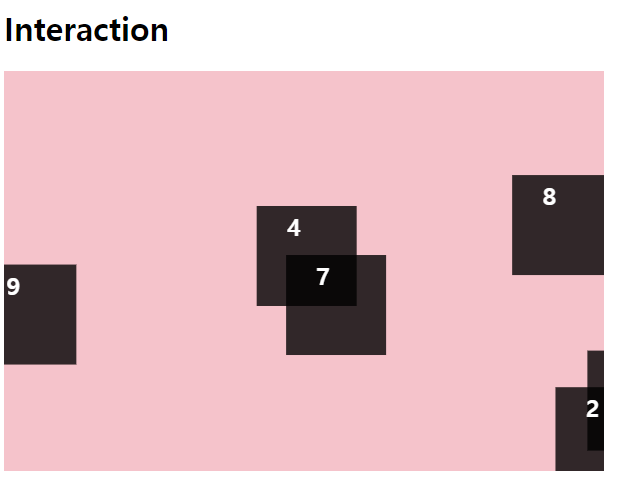
canvas_interaction.html
<!DOCTYPE html>
<html lang="en">
<head>
    <meta charset="UTF-8">
    <meta http-equiv="X-UA-Compatible" content="IE=edge">
    <meta name="viewport" content="width=device-width, initial-scale=1.0">
    <title>Document</title>
    <style>
        canvas {
            background-color: pink;
        }
    </style>
</head>
<body>
    <h1>Interaction</h1>
    <canvas id="canvas" width="600" height="400"></canvas>

    <script>
        const canvas = document.querySelector('canvas');
        const context = canvas.getContext('2d');
        const boxes = [];
        context.font = "bold 24px sans-serif"; // 두께 크기 서체

        // 💚 class 구문 ) 오브젝트를 만드는 틀
        // constructor ) 생성해주는 함수
        class Box {
            constructor(index, x, y, speed) { // 네모의 순번, 좌표
                this.index = index;
                this.x = x;
                this.y = y;
                this.speed = speed;
                this.width = 100;
                this.height = 100;
                this.draw(); // 만들면 바로 호출 🧡
            }
            draw() { // 그려주는 메서드
                context.fillStyle = "rgba(0,0,0,0.8)";
                context.fillRect(this.x, this.y, this.width, this.height);
                context.fillStyle = "#fff";
                // fillText("내용", x, y)
                context.fillText(this.index, this.x+30, this.y+30);
            }
        }

        let tempX, tempY, tempSpeed; // 변수 지정
        for (let i=0; i<10; i++) {
            // speed는 1~5사이의 숫자로 지정
            tempSpeed = Math.floor(Math.random()*5)+1;
            // 캔버스 크기보다 큰 숫자가 나오면 안됨
            tempX = Math.random() * canvas.width * 0.8;
            tempY = Math.random() * canvas.height * 0.8;
            boxes.push(new Box(i, tempX, tempY, tempSpeed));
        }
        console.log(boxes);

        // 박스 이동
        function boxMove() {
            context.clearRect(0,0,canvas.width, canvas.height); // 그렸던거 지우기
            boxes.forEach(box => {
                box.x += box.speed;
                if(box.x > canvas.width) {
                    box.x = -box.x;
                }
                box.draw(); // 계속 그리기
            })
            requestAnimationFrame(boxMove); // 계속 호출
        }
        boxMove(); // 불러줘야됨


    </script>
</body>
</html>